
CodeBold Redirects Nobody should land on a page that isn't there.
A free WordPress plugin that sends old addresses to the right page, writes the redirect for you when you rename something, and shows you every address a visitor failed to find.

— What it does
Scroll →
Everything a redirect
plugin should do,
and nothing to buy.
01
Send an old address to a new page
Pick the new page by name rather than typing a path. If that page is later moved or renamed, the redirect follows it — so you never end up with one redirect pointing at another.
02
Renames are caught on their own
Rename a page or post, move it under another page, or change its date, and the redirect is written for you. The same goes for categories, tags and product categories. Send something to the bin and you choose whether it redirects or returns 410 Gone.
03
See what people cannot find
Every 404 is listed with how many times it was hit and where the visitor came from, alongside a suggested page and a one-click fix. Filter down to real visitors, to links from other sites, or to bots. No personal data is stored and no IP addresses are kept.
04
Rules for the awkward cases
Move a whole section with a wildcard, or write a regular expression when the pattern is stranger than that. Add conditions — logged in or out, role, device, browser, language, referrer, cookie, IP, country, or only when the page is not found. Give a rule a start and end date. Group them, order them, leave yourself a note.
05
Check it before anyone else does
Type any address and it tells you which rule applies and why — then checks what the live site actually returns, so you are reading the server rather than the settings screen.
06
Bring what you already have
Import from Redirection, Rank Math, Yoast SEO Premium, Safe Redirect Manager, Simple 301 Redirects, or from CSV, JSON and .htaccess and Nginx config. Export to CSV, JSON, Apache or Nginx whenever you want it back out.
— A look inside
The screens you'll actually use.
Shown on a demo shop. The plugin opens in the light theme; dark mode is one click away.
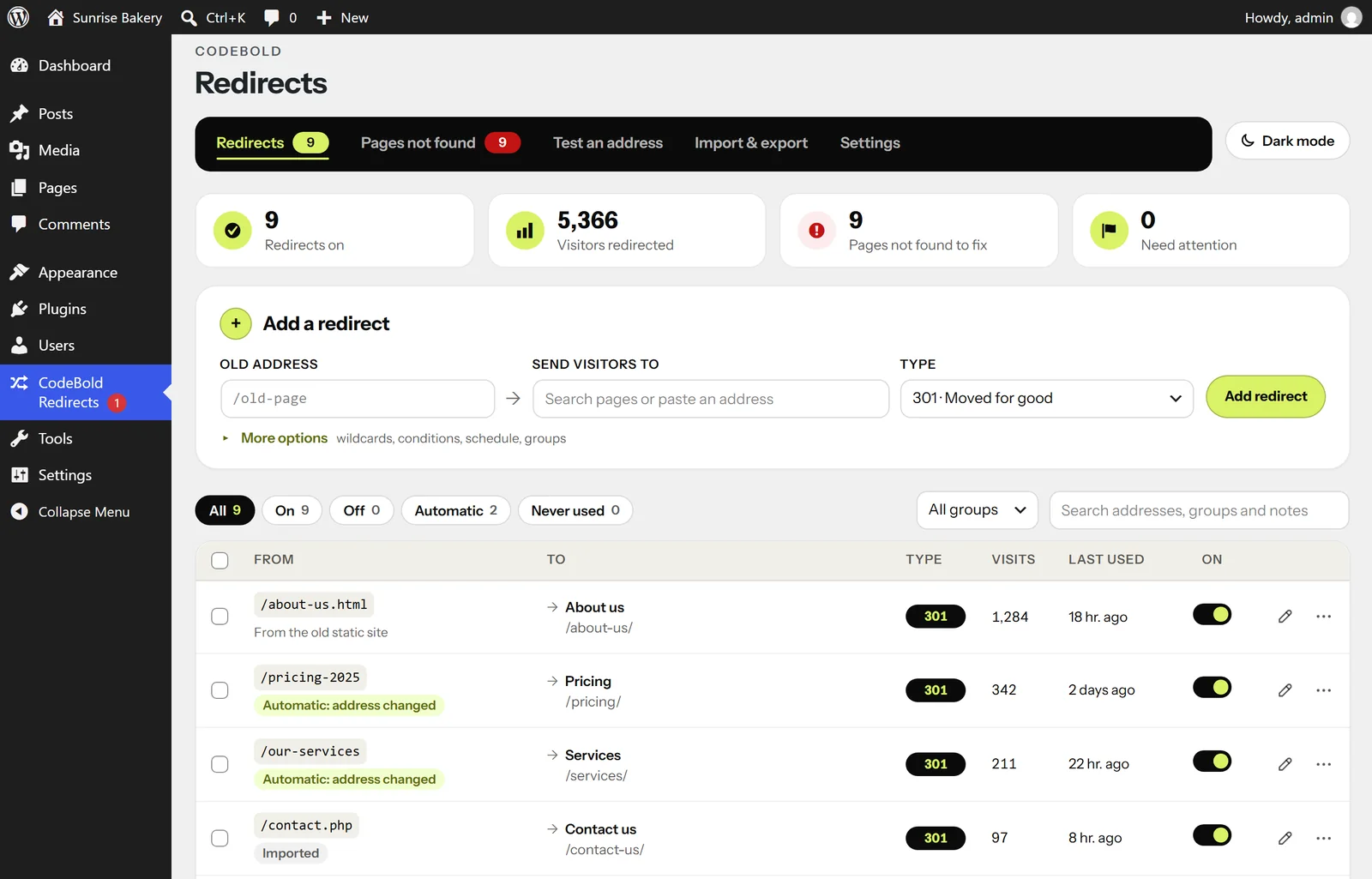
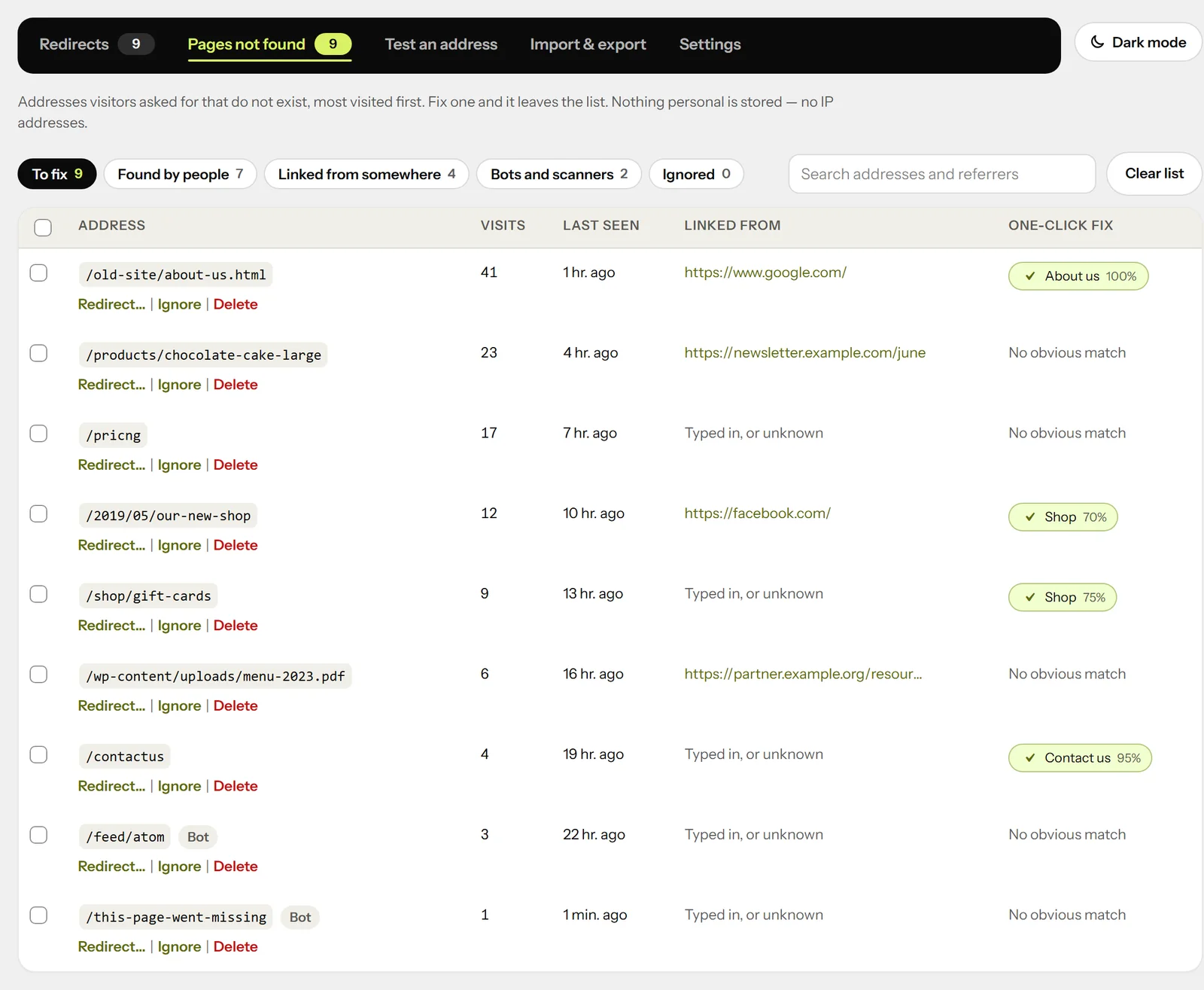
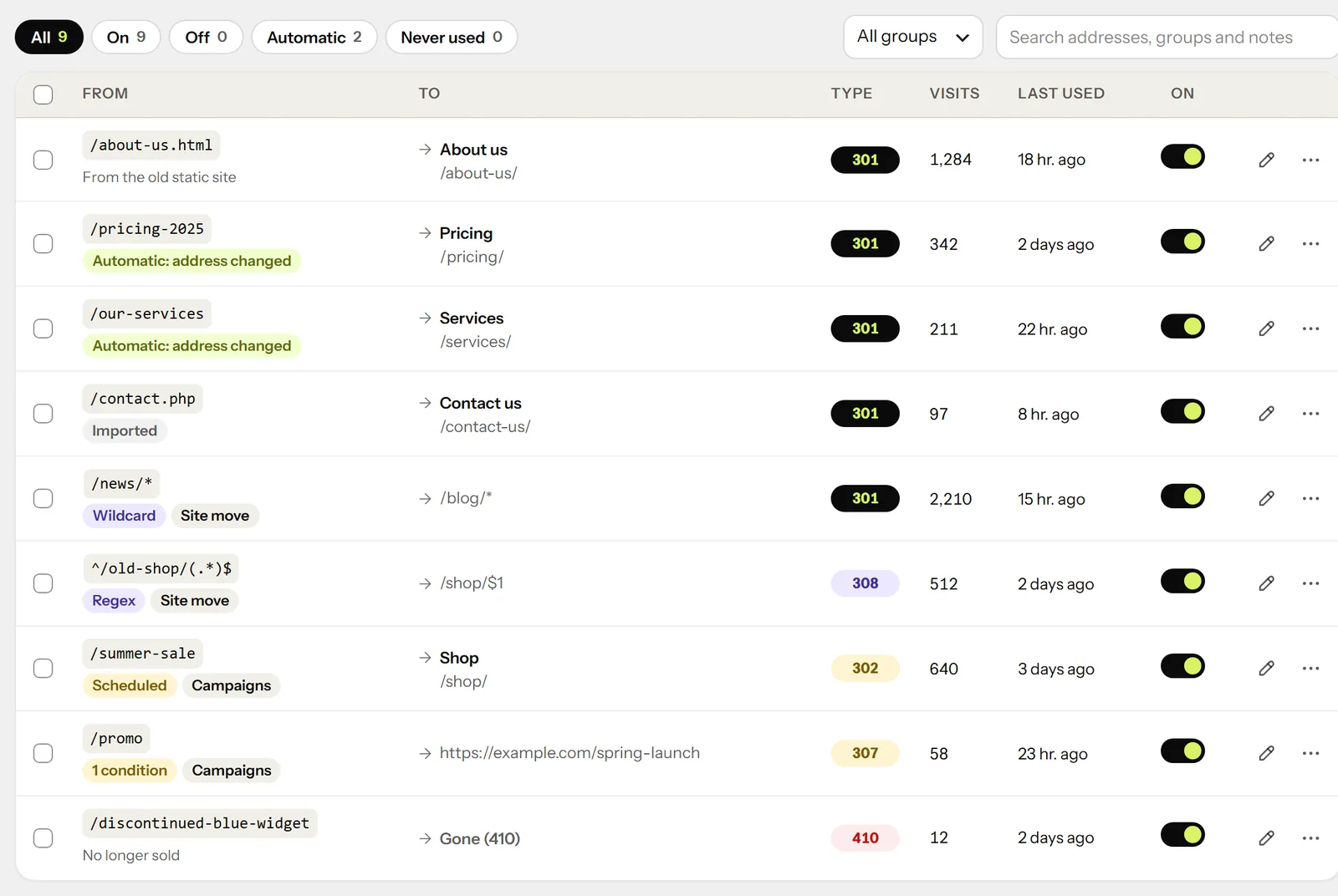
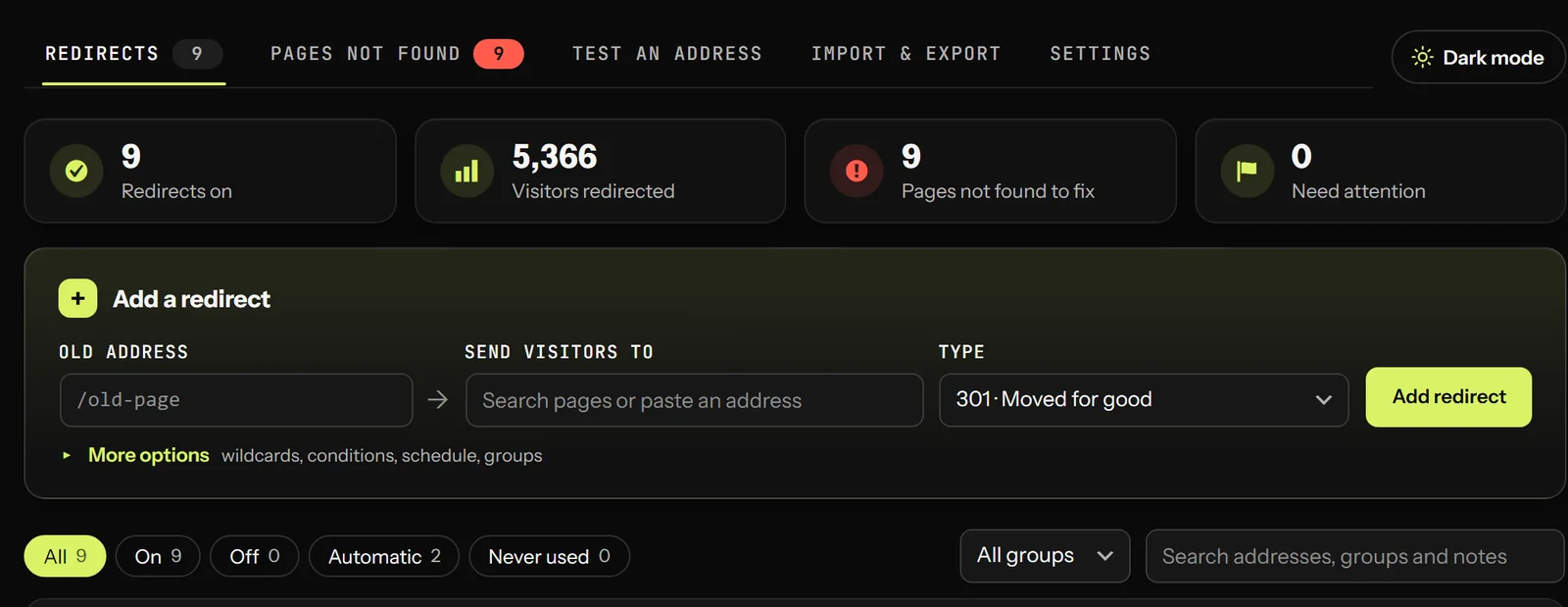
— Getting started
Four steps, then it looks after itself.
01
Install it
Search for CodeBold Redirects in your WordPress plugins screen, or download it from WordPress.org. It needs WordPress 6.5 or newer and PHP 8.1 or newer.
02
Bring your old rules across
If you already use another redirect plugin, import from it in one step. Nothing has to be retyped and nothing is lost in the move.
03
Let it watch for breakages
From then on, renaming or moving content writes its own redirect, and anything a visitor fails to find turns up in the Pages not found list with a suggested fix.
04
Check anything you are unsure of
Test an address to see which rule catches it and what the live site returns. Loops, chains, lock-outs and open redirects are blocked before they can be saved.
— Why this one
Free, and careful with your site.
A redirect plugin can quietly break a site. This one is built not to.
Free, with nothing held back
There is no paid version, no trial and no feature waiting behind an upgrade. What is on this page is what you get.
It will not break your site
Redirect loops, chains, lock-outs and open redirects are all refused before a rule can be saved. You cannot accidentally lock yourself out of your own admin.
It fits where you already work
A dashboard widget, a shortcut in the admin bar when you land on a 404, a box in the editor sidebar, plus a REST API and WP-CLI for anyone who would rather not click.
— Questions people ask
Questions people ask.
Yes. It is on WordPress.org, there is no paid version, and no feature is held back for an upgrade.
WordPress 6.5 or newer and PHP 8.1 or newer. The current version is 1.3.6.
No. It imports from Redirection, Rank Math, Yoast SEO Premium, Safe Redirect Manager and Simple 301 Redirects, and from CSV, JSON or an existing .htaccess or Nginx config.
Yes. Export to CSV, JSON, Apache or Nginx at any time.
The redirect is written for you. The same applies when a page is moved under another one, when its date changes, and to categories, tags and product categories. When something goes to the bin you choose whether it redirects or returns 410 Gone.
It records which addresses were not found, how often, and which site the visitor came from. It stores no personal data and keeps no IP addresses.
No. You pick the destination page by name rather than by address, so when that page moves the redirect moves with it. Chains and loops are refused outright.
There is a full user guide with screenshots of every screen, linked from the top of this page.
— It's free
Install it in
two minutes.
No account, no trial, no card. Search for CodeBold Redirects in your plugins screen, or download it from WordPress.org.
Built and maintained by Codebold. Version 1.3.6 — needs WordPress 6.5+ and PHP 8.1+.
