— Recruitment
Recruitment Automation for Staffing Agencies: What AI Should and Shouldn't Do
A recruiter's day is full of work that isn't recruiting. A vendor emails a new requirement. Someone copies it into the ATS. Someone searches four job boards for the same skills. Someone sends the same five screening questions to twenty candidates, books interviews by back-and-forth email, and chases timesheets every Friday.
Recruitment automation takes that repeat work off the desk so recruiters spend their time where it counts: talking to good candidates and clients. Here is what it does, and the lines it should never cross.
What is recruitment automation?
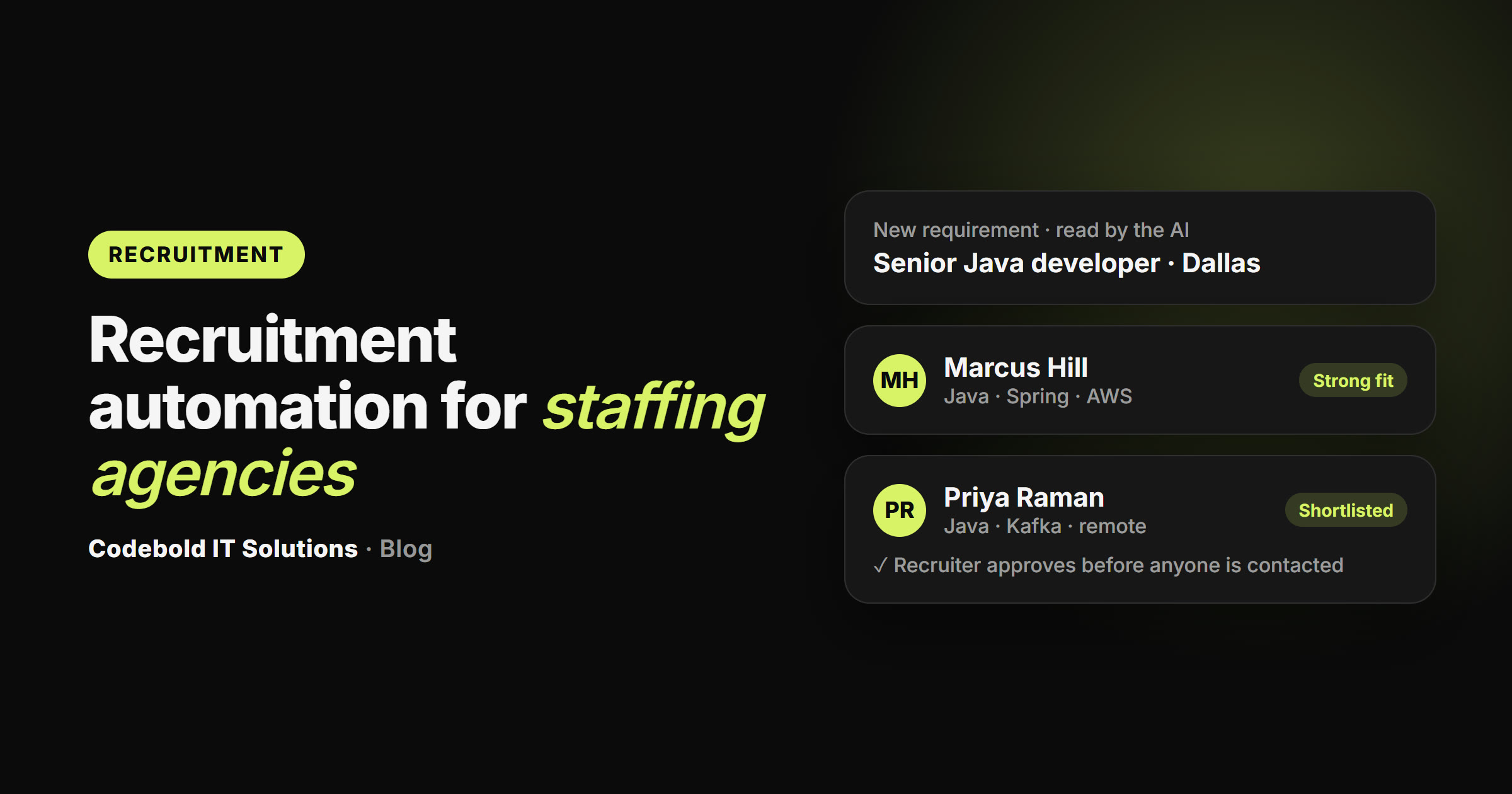
It is a set of connected steps, built around how your agency already works, that run on their own: from the moment a requirement arrives to the weekly timesheet. AI handles the reading, searching, messaging and chasing. Your recruiters approve and decide.
What can it automate for a staffing agency?
- Reading every new requirement from vendor or client emails as it arrives, and logging it.
- Searching your job boards like a recruiter. It signs in to the boards you already pay for (Dice, LinkedIn, Monster, CareerBuilder, Naukri or others) with your own accounts, checks your own database first, and searches must-have skills first.
- Shortlisting with reasons. Profiles sorted by fit, with the reason for each match written down, sent to the recruiter.
- Screening. The same questions for every candidate, by email, text or AI call, written up for the recruiter. In Spanish and other languages too, with the write-up in English.
- Interviews. Booked, reminded and rebooked without the email ping-pong.
- Bench sales. Marketing your bench consultants to vendors and following up, checking every time that a consultant is never submitted twice, and handling right to represent.
- Onboarding and timesheets. Asking for the documents on your checklist, chasing them, filing them, and chasing weekly timesheets until they are in.
What should AI never do in recruiting?
Good recruitment automation is defined as much by what it refuses to do:
- Never make a hiring decision. It never rejects a candidate on its own. A person decides.
- Never ask about protected characteristics. No questions about age, race, color, religion, sex, national origin, disability, pregnancy or marital status.
- Never promise a job, a start date or a pay rate beyond what the job order says. Offers come from your recruiters.
- Never pretend to be a person. It says it is your agency's AI assistant on every call and text.
- Contact with consent. Calls and texts go to people who agreed to be contacted; anyone who asks to stop is not contacted again.
Doing it by hand vs your ATS vs an automated flow
| By hand | Your ATS alone | Automated flow | |
|---|---|---|---|
| Reads every new requirement | When someone gets to it | Typed in by hand | As it arrives |
| Searches your job boards per role | Hours per role | No | Yes, with your accounts |
| Shortlist with reasons | In the recruiter's head | Keyword search | Written down |
| Same screening questions for all | Varies by recruiter | A form | By email, text or call |
| Stops double submission | If someone remembers | If configured | Checked every time |
| Chases timesheets | One message at a time | A task list | Until they're in |
Which kinds of agencies is it for?
IT and contract staffing, bench sales, high-volume inbound applicants, and onboarding-heavy desks get the most from it. It is also built for permanent placements, healthcare staffing, temp and light industrial, executive search, finance and accounting, admin and office staffing, hospitality, construction and trades, engineering and sales recruitment.
Does it work with our ATS and job boards?
Yes. Whatever job board, portal, ATS or CRM you use (Bullhorn, JobAdder, Ceipal, Vincere, Crelate, Loxo, a client's vendor portal, or an in-house system), it can be handled: through a connection where the tool offers one, and otherwise through a browser agent that signs in with your own account and works it like your recruiter would. Your job board subscriptions stay on your own accounts.
Is candidate data private?
It should stay in the systems you already use, in a workspace of your own, and never be reused or sold. Bring your agency's policies and your state's rules on AI in hiring to the first call, so the flow is built to them.
How much does it cost?
At Codebold it is four parts, each agreed before it starts: a free 30-minute call to map your desk from first requirement to weekly timesheet, with a written plan you keep either way; one fixed price to build and test the flows you approve (no candidate or vendor is contacted until you sign off); a monthly fee while it runs; and texts and AI calls at cost. Emails cost nothing extra, and there are no per-recruiter fees.
How to get started
- List the steps your desk repeats every week, from requirement to timesheet.
- Note the job boards, portals and ATS you use, and your screening questions.
- Book a free mapping call. You get a written plan and an honest view of what is worth automating.
See the worked flows for IT staffing, bench sales, inbound applicants and onboarding on our recruitment automation page.
Frequently asked questions
Does recruitment automation decide who gets hired?
It shouldn't, and ours never does. It sorts profiles by how well they match the must-haves, with the reasons written down, and asks every candidate the same questions. A person on your team decides who is contacted, who moves forward, who goes in front of a client and who is placed.
Can it search Dice, LinkedIn, Monster, Naukri or our own portal?
Yes. It signs in to the job boards and portals your agency already uses with your own accounts, and searches the way a recruiter would: must-have skills first, then a wider location if too few profiles match. It checks your own database first.
Will it work with Bullhorn, JobAdder, Ceipal or a custom ATS?
Yes. Where your ATS or CRM offers a connection it uses it; where it doesn't, a browser agent signs in with your account and does the clicking. Vendor portals and client VMS screens are handled the same way.
Can the AI call or text candidates?
Yes, candidates whose numbers you hold and who have agreed to be contacted: applicants, past candidates who opted in, and people who replied to an email or job-board message. Candidates found on job boards hear from you first by email or the board's own messages, after a recruiter approves.
What questions does it ask candidates?
Only the ones your recruiter sets for that role, in the same order for everyone: availability, location and commute, pay range, shifts, and any license or certificate the job needs. It never asks about age, race, religion, disability, marital status or any other protected characteristic.
Does it check work authorization or documents?
It asks for the documents on your checklist, chases them and files them where you keep them. A person on your team checks every one, and employment eligibility checks stay with your team.
How much does recruitment automation cost?
With Codebold: a free mapping call and written plan, one fixed price to build it, a monthly fee while it runs, and texts and AI calls passed through at cost. No hourly billing and no per-recruiter fees.
Want this for your business?
Start with a free 30-minute call, or get your new home page designed for free first. You see it before you pay anything.