

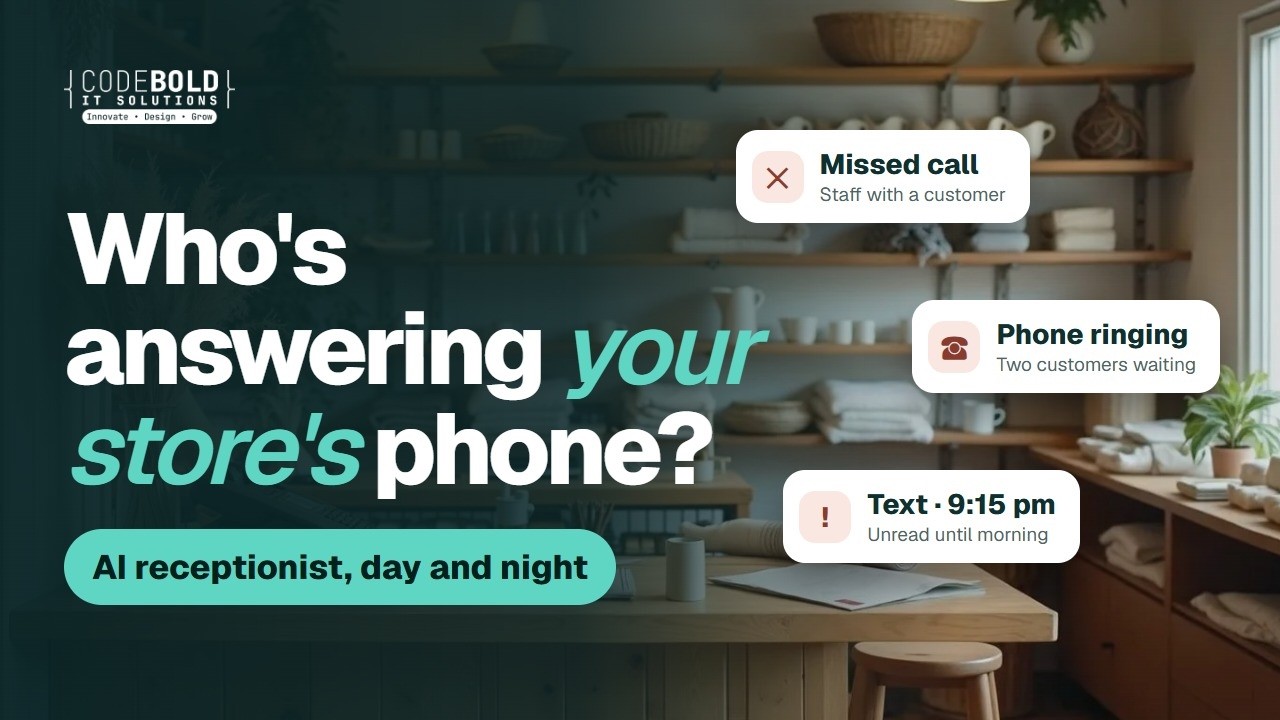











AI receptionist & special order automation for independent retail stores

Your staff are on the shop floor.
The phone still gets answered.

  • The counter phone rings out
  • Special orders wait on a callback
  • Customers call to ask if it's ready

CodeBold builds retail store automation for boutiques, gift shops, furniture and appliance stores, bike shops and hardware stores: an AI receptionist for your store that answers calls and texts day and night, stock questions answered from your own inventory, holds and special orders taken for your staff to confirm, and customers told when their order is ready. One process that runs on its own.

See what it does
  • Free first call
  • It says it is an AI
  • Staff confirm every hold
The counter of an independent shop with nobody behind it
Staff on the shop floorCounter unattended
AI receptionistAnswering now

Do you have the linen throw in sage green?

I'm the store's AI assistant. Our stock list shows two. Shall I ask staff to hold one?

Hold request sent · staff to confirm

— The flows

This is what a finished front desk looks like.

The actual chain, end to end. Pick the store closest to yours. What we build for you will be shaped around how your store already runs.

Pick your kind of store 4

Also built for Jewelry stores · Bookstores · Toy stores · Garden centers · Pet supply stores · Music stores · Mattress stores · Outdoor and camping stores

01 Boutiques & gifts 5 steps · 4 run on their own · 1 waits for you

The question at nine at night is still a sale

Shoppers text a boutique in the evening, when they see something they want. This answers while the store is closed.

  1. A woman at home, calling a local store on her phone

    AI text and call

    The question is answered

    Hours, directions and stock questions, evenings and Sundays included.

  2. A store manager working at a computer in a shop's back office

    POS

    Stock checked in your inventory

    From your own stock list. If it can't be sure, it says so and asks staff to check.

  3. A shop assistant helping a customer on the floor while the counter phone rings

    Your team

    Staff confirm the hold

    Nothing is set aside or promised until a person on your team says yes.

    This one waits for your team

  4. A man smiling at a text message from a local store

    Text

    A reminder before it expires

    The day the hold runs out, so it's collected or goes back on the rail.

  5. A woman at home beside a newly delivered sofa, holding her phone

    Text and email

    New arrivals, for those who asked

    Event and sale news only for customers who opted in.

  6. The result

    What your customer actually gets

    The text at nine at night becomes a dress waiting at the counter, confirmed by a person.

    Text messagesHold request

    Hi, do you still have the green wrap dress in a medium?8:42 pm

    I'm the boutique's AI assistant. Our stock list shows one medium. I've asked the team to hold it for you.8:42 pm

    Good news: Jess has set it aside until 6:00 pm tomorrow.10:05 am

    Perfect, I'll come by at lunch10:09 am

    Hold confirmed by staff · until Sat 6:00 pm

    The text at nine at night becomes a dress waiting at the counter, confirmed by a person.

And it keeps running

Each morning you see every hold, who confirmed it, and when it runs out.

Your own process

Not the flow you were looking for?

Tell us what your team repeats every week. We'll map it and come back to you within one working day. The map is free, and it's yours either way.

  1. You tell us
  2. We map it
  3. The map is yours

— Sound familiar?

Your staff cannot be on the floor and on the phone.

These happen every week at a busy store, and each one can cost you a sale.

A shop counter with a phone and nobody behind it
Missed callStaff with a customer

Everyone is on the floor

The counter is empty. The phone isn't.

A closed independent shop at night, lights off
Text · 9:15 pmUnread until morning

Nothing moves after closing

Evening and Sunday questions wait for the next open day.

Paper special-order slips clipped beside a shop counter
Special orderOn a paper slip

Special orders on scraps of paper

The supplier ships it. Nobody tells the customer.

A bicycle on a repair stand in the workshop at the back of a bike shop
Customer callingAsking if it's ready

“Is my bike ready yet?”

The same question, from every repair customer, every day.

A shelf of wrapped orders waiting behind a shop counter
Ready since TuesdayCustomer not told

Orders nobody came for

It's been ready for days. The customer doesn't know.

A shop assistant helping a customer on the floor while the counter phone rings
Phone ringingTwo customers waiting

One person, three jobs

The customer in front, the phone and the stockroom all want the same person.

Every one of these can run without waiting for a free pair of hands.

See how each one is fixed

— Where it fits

Across the whole customer order.

  1. Before they visit

    Calls and texts answered, stock checked against your inventory, holds and special orders taken for your staff.

  2. When it's ready

    Ready for pickup texts, delivery and installation booked, repair updates sent.

  3. After they buy

    Review requests, and sale and event news for customers who opted in.

— What it does

Everything the front desk does, done on time.

A woman at home, calling a local store on her phone
AI receptionistOn your store's number

Do you have the cast-iron skillet in the 12-inch size?

I'm the store's AI assistant. Our stock list shows two. Shall I ask staff to hold one?

Yes please. And what time do you close?

We close at 7:00 pm. I'll text you once staff confirm the hold.

Hold request sent · staff to confirm

Calls & questions

Answers every caller, day and night.

An AI receptionist for your retail store, on your own number, day and night. It says it is an AI, answers hours, directions and stock questions from your own inventory, and says so when it can't be sure.

  • Picks up while staff are with customers
  • Stock answers from your own inventory
  • Speaks the caller's language
  • Hands complaints to a person
A store owner setting an item aside behind the counter
Hold requestConfirmed by your staff

Can you hold the walnut side table for me until Saturday?2:14 pm ✓✓

I'm the store's AI assistant. Our stock list shows one. I've asked the team to set it aside.2:14 pm

Confirmed by Dana: it's held for you until Saturday at 5:00 pm.2:31 pm

Holds & special orders

Takes the hold, your staff confirm it.

Holds and special orders are taken down with the item, size, color and contact details, then passed to your staff. Nothing is promised until a person on your team confirms it.

  • Item, size and color taken down in full
  • Staff confirm before the customer is told
  • Holds expire when you say they do
  • Never takes a card number on a call
A woman collecting a wrapped order at a shop counter
Special orderReady for pickup
  1. Arrived from the supplier10:20 am
  2. Checked by staff11:05 am
  3. Pickup text sent11:06 am

Ready for pickup

Tells them it's in, so it doesn't sit.

Order ready for pickup texts go out once staff mark it in, with your hours and a reminder if it's still waiting. Repairs get the same update when they're done.

  • Sent once staff mark the order in
  • Your hours and directions in the text
  • A reminder if it's still on the shelf
  • Repair and service updates too
A woman at home beside a newly delivered sofa, holding her phone
Thursday's deliveriesOne window refilled
  • 9:00Sofa delivery
  • 11:30Washer installMoved, then refilled
  • 2:00Dining set delivery

Delivery & installation

Books the delivery without the phone tag.

Delivery and installation scheduling by text: the customer picks a window from your calendar, answers your access questions, and gets a reminder the day before.

  • Windows from your delivery calendar
  • Your questions on stairs, access and old units
  • A reminder the day before
  • Changes passed to your team
A man smiling at a text message from a local store
Messages this weekSent for you
  • Sale preview · opted-in customersSent
  • Review request · Tuesday's buyersSent
  • Tune-up season · past repairsScheduled
  • Replied STOPRemoved

Sales, events & reviews

Brings them back, only if they asked.

Sale and event news goes only to customers who opted in, and review requests go out after the purchases you choose. Anyone who replies STOP is taken off the list.

  • Only to customers who opted in
  • Review requests after the sales you choose
  • Written in your store's words
  • Opt-outs removed from the list
A store manager working at a computer in a shop's back office
New customer, set up for youIn the software you already use
  • Customer added to your POSDone
  • Special order logged to the customerDone
  • Delivery in the store calendarDone
  • Supplier order form didn't go throughStaff told

Your software

Fits what you already run.

Your point-of-sale and inventory system (Shopify POS, Lightspeed, Square, Clover and others, wherever they allow a connection), calendar, email and supplier portals. Where there is nothing to connect to, a browser agent logs in with your account and does the clicking.

  • Your POS and inventory system
  • Your calendar and email
  • Supplier portals and order forms
  • Tells you when a step fails

Which of these would take the most off your front desk?

Chat on WhatsApp

— More than the front desk

Need more than automation? We build that too.

Can customers find you online?

We build or rebuild your retail store website so Google and AI assistants like ChatGPT can find and read it.

  • Your hours, location and what you stock clear on every page
  • Built so Google can read it properly
  • Readable by AI assistants like ChatGPT

Free Your new home page, designed first. Need a new website or a redesign? We'll design your home page for free. If you like it, we carry on.

Need to change something on your website?

Do it yourself, in plain words. Type the change the way you'd say it, check it, preview it and publish. No developer, no waiting.

  1. Open the editor. Your pages, photos and changes on one screen.
  2. Type your change. “Change our Saturday hours to 9 to 2.” Plain words, no forms.
  3. Check it. See what changed, and what didn’t. Undo anytime.
  4. Preview it. A private preview, exactly as customers will see it.
  5. Publish. It’s live, usually in 1 to 2 minutes.

Want it all on your phone?

Your holds, pickups and deliveries in an app for Android and iPhone.

  • For Android and iPhone
  • Holds, pickups and deliveries in one place
  • An app for your team, your customers, or both

Is your website slow?

A slow page can lose a customer before they visit. We find what's slowing it and fix it.

  • We find exactly what is slowing it down
  • Images, code and hosting fixed
  • Checked on phones as well as computers

Not sure where to start?

Tell us how your store runs. We'll point you to the one that helps most, or tell you it's fine as it is.

— What it plugs into

It works with what you already use.

A flow is only useful if it reaches the tools your team lives in. Where a product offers a connection, we use it. Where it doesn’t, the browser agent signs in and does the clicking, the same way your team does.

  • WhatsApp Business
  • Telegram
  • Gmail
  • Google Meet
  • Zoom
  • Messenger
  • Google Calendar
  • Google Sheets
  • Google Docs
  • Google Drive
  • Google Forms
  • Dropbox
  • Notion
  • HubSpot
  • Zoho
  • Airtable
  • Trello
  • Asana
  • ClickUp
  • Calendly
  • Shopify
  • WooCommerce
  • BigCommerce
  • Wix
  • Squarespace
  • WordPress
  • Webflow
  • Razorpay
  • Stripe
  • PayPal
  • Paytm
  • PhonePe
  • Zendesk
  • Intercom
  • Mailchimp
  • Typeform
  • Zapier
  • n8n
  • Your own phone line
  • Any portal you log into

…and the ones that aren’t here. If a tool offers no connection at all, the browser agent signs in with your account and works it the way a person would, which is how portals, job boards and supplier sites get covered. Tell us what you run on the call.

— The building blocks

The parts we build your flow from.

Every flow on this page is assembled from these. Yours will use some of them, in an order nobody else has.

An AI receptionist on your store line

Answers and makes real calls in the caller's language, answers hours and stock questions from your own inventory, takes holds for staff to confirm and writes the call up for your team. It says it is an AI, and it never takes a card number.
Browser agent for supplier portals

Older POS screens, supplier portals and order forms: it logs in with your own account and does the clicking where there is nothing to connect to.

Text, email & website chat

Stock answers from your inventory

Holds confirmed by staff

Ready-for-pickup texts

Delivery & installation booking

Review requests

  • Multi-language
  • Your store's name and voice
  • Never takes card numbers on a call
  • Complaints go to a person
  • Every call and message logged
  • Tested before a customer hears it

— Why build it this way

Where the other two stop.

Doing it by handYour POS systemA CodeBold flow
Answers calls while staff serve customers No Rings out No Yes Day and night
Answers stock questions from your inventory Yes If someone is free Staff must look it up Yes On the call
Takes holds and special orders for staff to confirm On a paper slip If someone enters it Yes Logged for your team
Tells customers when the order is ready When there is time If configured Yes Always
Books delivery and installation windows Phone tag No Yes By text
Messages only customers who opted in Yes Varies Yes Built in
Tells you when a step fails No The customer tells you If configured Yes Alerts a person

The first two are fine for a step. A process that spans a browser, a phone call and a calendar needs something that can carry it all the way through.

Want your front desk to work like this?

One free call. We'll map your front desk with you and tell you honestly whether it's worth automating.

Chat on WhatsApp

— What it costs

Pay for the work, not per seat.

Four parts, each agreed before it starts. Nothing is billed by the hour, and your whole team can use it at no extra cost per person.

  1. Free Before anything

    We map your process

    A 30-minute call, then a written plan of your flow. Yours to keep, even if you say no.

  2. One price Once, to build it

    We build and test it

    One fixed price for the plan you approved, agreed before work starts. Nobody is contacted until you sign it off.

  3. Monthly While it runs

    We keep it running

    Hosting, daily checks, an alert when a step fails, fixes, and changes as you grow.

  4. At cost As you use it

    Calls and texts

    Charged by the phone company and passed on with no markup, on their own line.

Calls and texts are billed by the phone company and shown on their own line of your quote, at cost.

— Trust & responsible AI

Your customers, your store, your rules.

It says it is an AI

On every call and every chat. We will not build one that pretends to be a person.

Stock from your own list

It answers stock questions only from your inventory data, and says so when it can't be sure.

Staff confirm every hold

Holds and special orders are taken down for your team. Nothing is promised until a person confirms it.

No card numbers on a call

It never takes a card number over the phone. Payment stays at your counter or your own checkout.

No cold texts

It only messages customers who opted in or contacted your store. Never a bought list.

Complaints go to a person

A complaint, a refund dispute, anything urgent: you define it, and those are handed to your team.

— Questions store owners ask

Questions store owners ask.

Yes. It introduces itself as your store's AI assistant at the start of every call and chat. That is honest, and in a growing number of places it is also required.

From your own inventory data: your POS or inventory system wherever it allows a connection, or a stock spreadsheet your team keeps up to date. If the item isn't listed, the count is low or the data may be out of date, it says it can't be sure and offers to have staff check. It never guesses.

It takes the request down (the item, size or color, quantity, name and number) and passes it to your staff. Nothing is held or ordered until a person on your team confirms it, and the customer is told once they have.

No. It never takes a card number on a call. Deposits and payments stay at your counter or go through your own checkout.

Only customers who opted in to hear from your store, and people who contacted you. It never sends cold calls, texts or emails, and never uses a bought list. Anyone who replies STOP is taken off.

It goes to a person. You decide what counts as a complaint or as urgent, and those calls and messages are handed to your team with a write-up, rather than handled by the AI.

It works with your calendar and email, imports Excel and CSV, and connects to your point-of-sale and inventory system wherever it allows a connection. None of these companies is our partner. Where there is nothing to connect to, the browser agent logs in with your account and does the clicking.

It stays in the systems you already use, in a workspace of your own, and we do not reuse or sell anything that passes through it. We hold no certification or compliance standard and will not imply otherwise. Bring your own policies to the mapping call, and we will either build to them or tell you honestly that we cannot.

Many answering services take a message for someone to call back. This flow answers from your own hours and stock list, takes the hold or special order for your staff, books deliveries and repair drop-offs, and texts the customer when it's ready. Anything it should not handle still goes to a person.

Yes. It can answer and message in Spanish and other languages, and your team can get the write-up in English.

There is no fixed plan, because every store runs differently. The mapping call and written plan are free, building it is one fixed price agreed before work starts, running it is a monthly fee, and calls and texts are passed through at cost. You have the full figure before you sign.

This page shows worked flows for boutiques and gift shops, furniture and appliance stores, bike and sporting goods shops, and hardware stores. We also build for jewelry, book, toy, pet supply, music, mattress and outdoor stores, and garden centers.

You do. The flow, the scripts, the rules and the data are yours, and they stay in your own workspace.

— The AI behind it

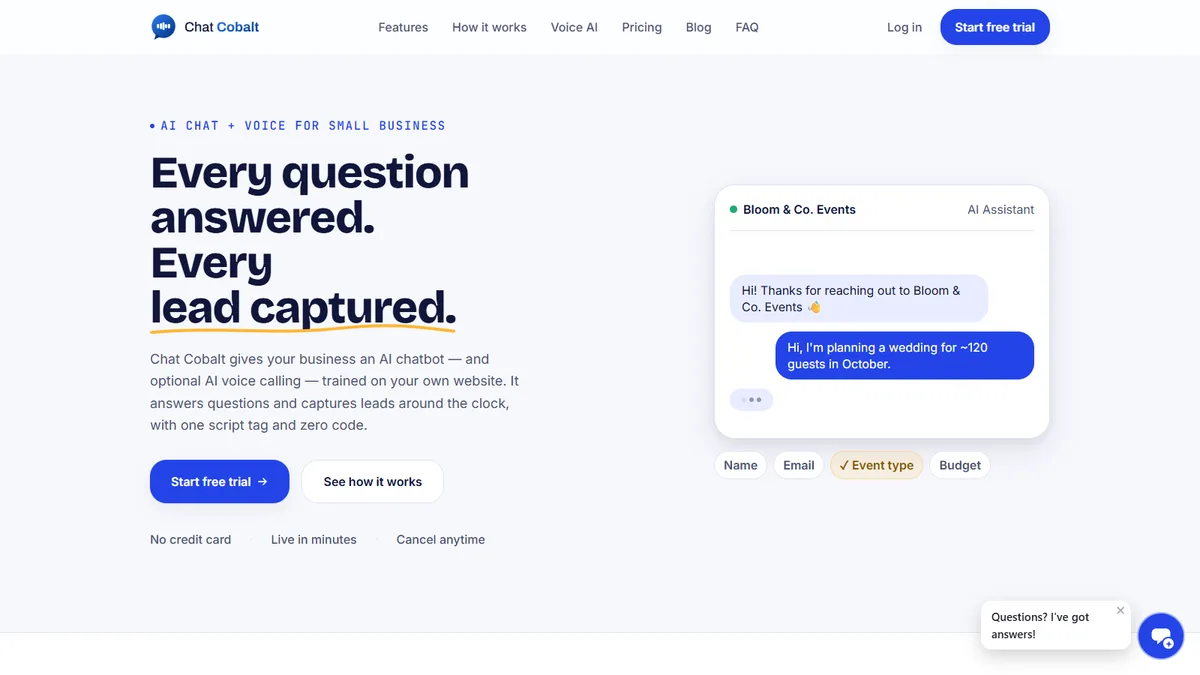
Your AI receptionist runs on Chat Cobalt.

Chat Cobalt is Codebold's own AI chat and voice product. It answers your website chat and your phone, trained on your store's own website, and hands the flows on this page what they need: the booking, the reminder, the follow-up.

  • AI chat on your website, day and night
  • AI voice on your own phone number
  • Reply to chats and see new leads in the app

We run Chat Cobalt on our own business every day.

The Chat Cobalt website, with its AI chat answering an enquiry

— Let's talk

Tell us what your
front desk repeats.

One free call. We'll map it with you and tell you honestly whether it's worth automating.

Chat on WhatsApp

Working with clients internationally, since 2013.