
COMPLETE COMMERCE PLATFORM
We build your shop's website, mobile app and billing system — all connected and done for you.
Your physical store and online store work together automatically. One system. Full setup. We handle everything.
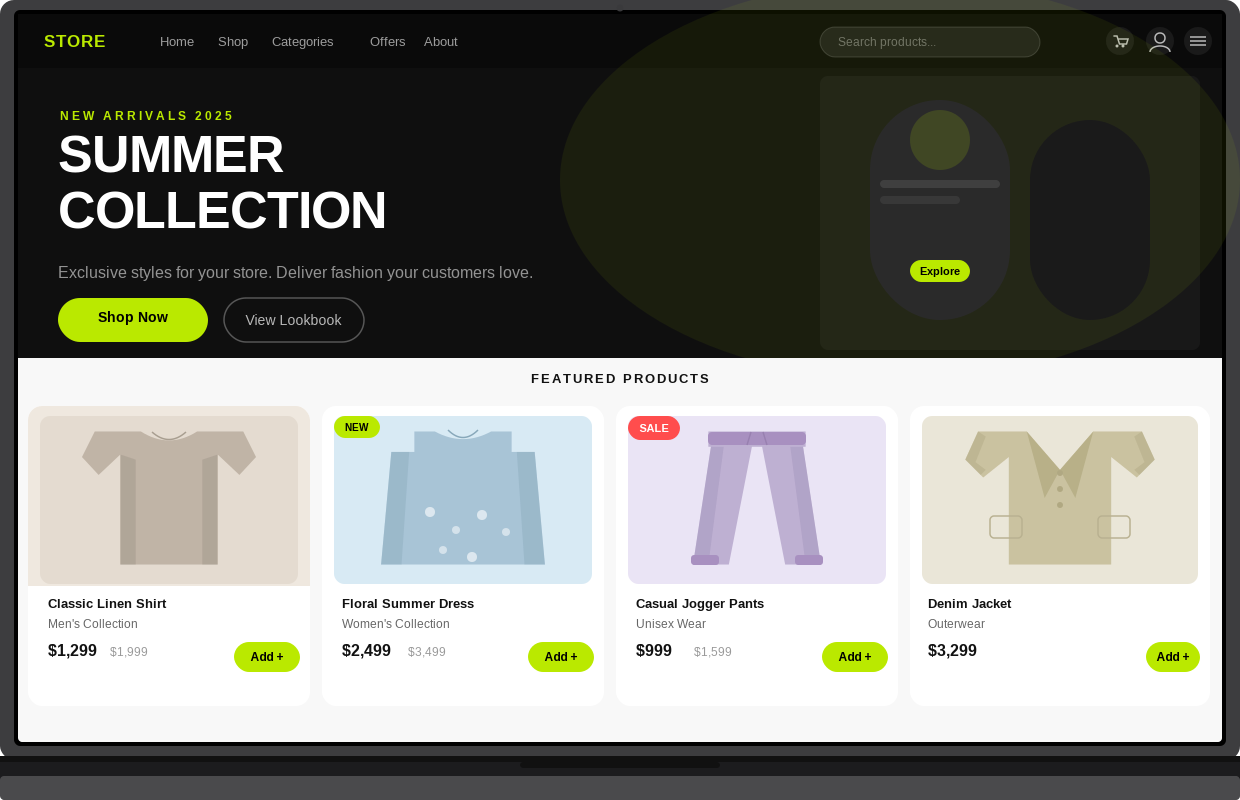
Website
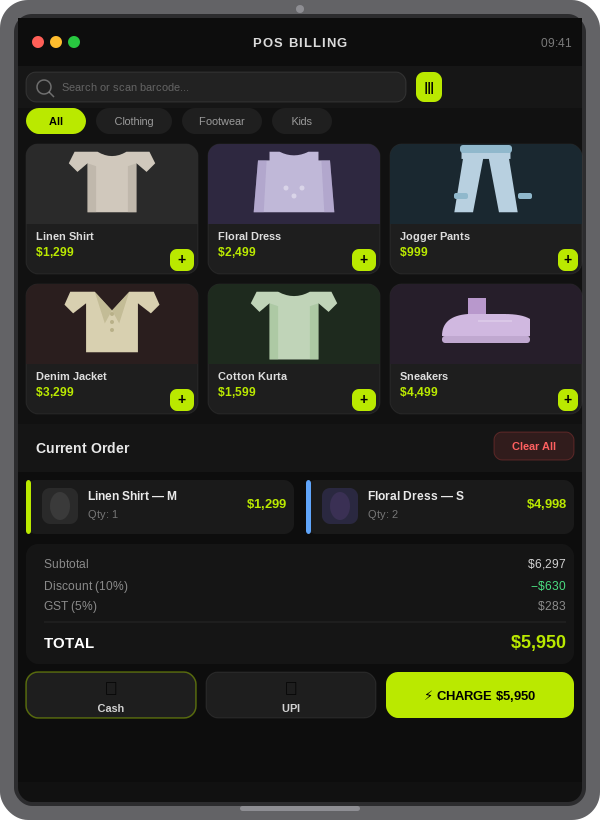
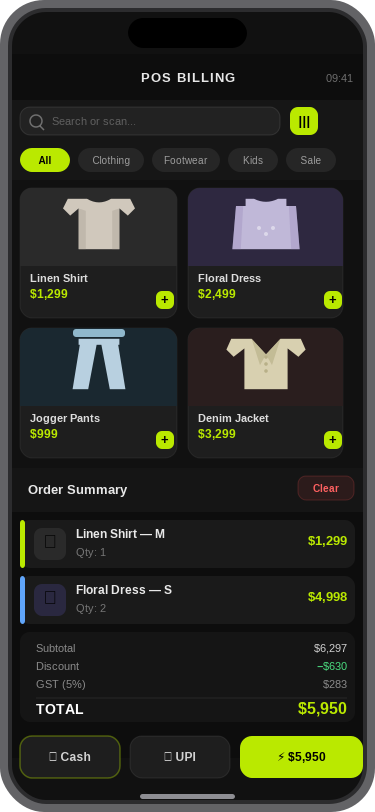
POS System
WHAT WE BUILD FOR YOU
Three things. All connected.
Everything your shop needs to sell online and at the counter — built and set up for you.
Your own website where customers can shop
We build a full shopping website for your store. Your customers open it on their phone or computer, browse your products, add what they want to a cart, and pay — just like shopping on any big online store. Your shop stays open 24 hours a day, even when you are closed.
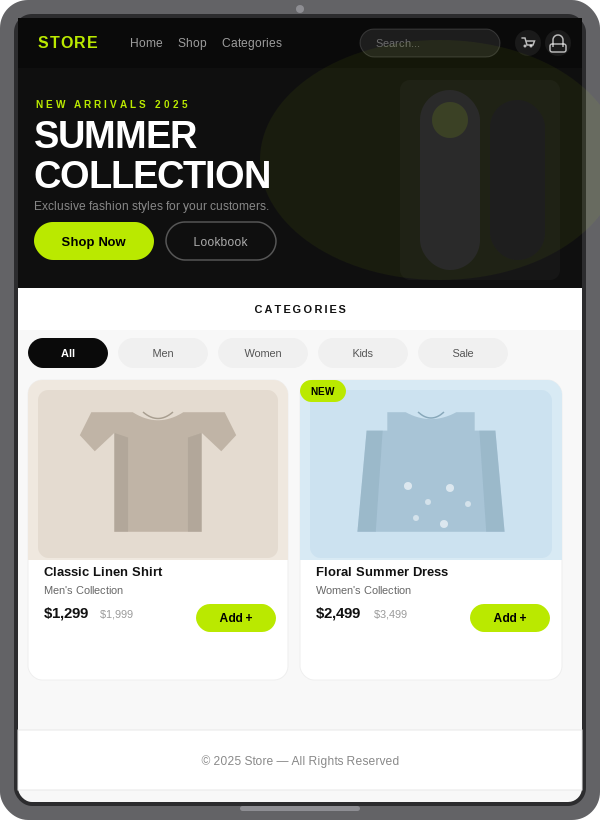
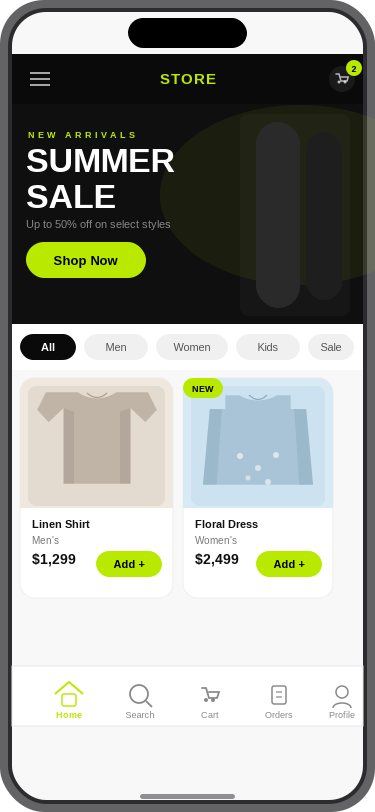
Your store becomes an app on every customer's phone
No need to go to the Play Store or App Store. Your customer just opens your store link on their phone, taps "Add to Home Screen" and your store icon appears on their phone — just like a real app. Next time they want to shop, they just tap the icon. It opens full screen, loads fast, and even works when the internet is slow.
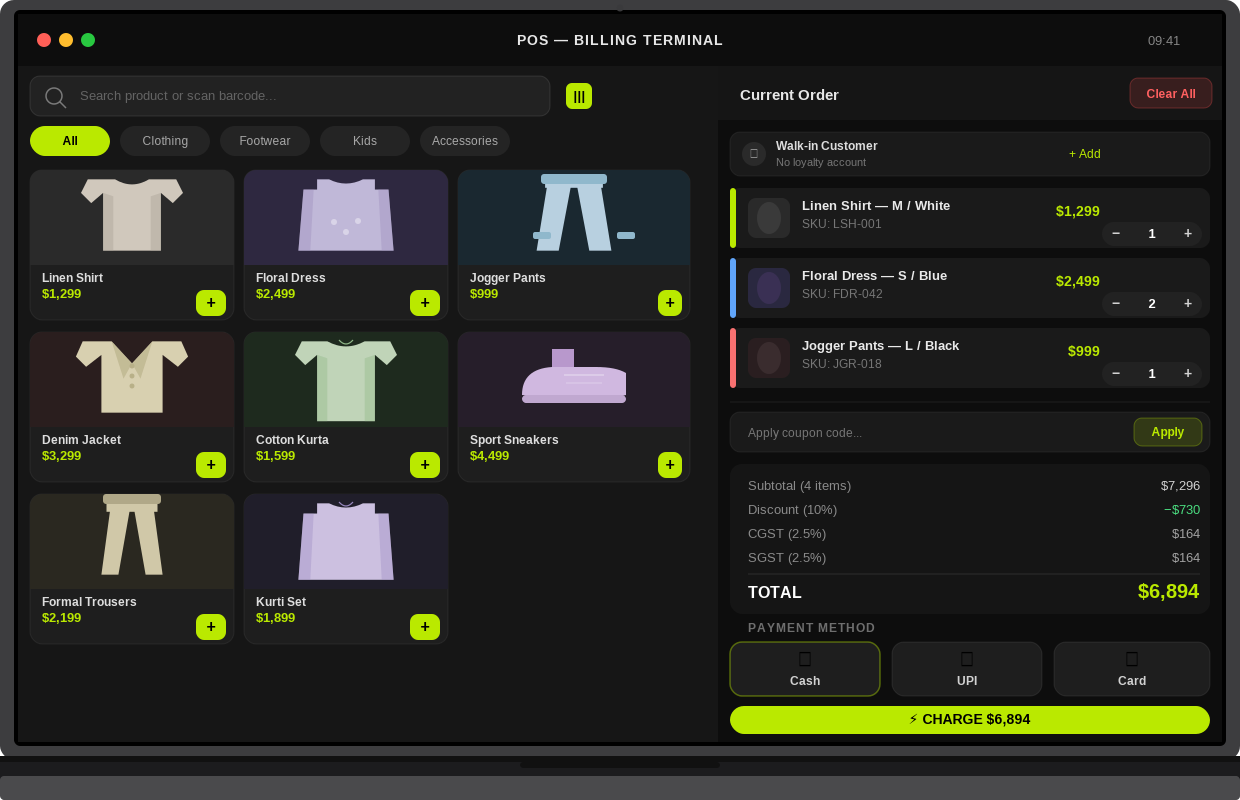
Bill your customers at the counter — fast and easy
Your staff just scans the product barcode and it appears on screen with the price. No typing, no searching. Select how the customer wants to pay — cash, UPI or card — and the bill is done in seconds. A receipt prints automatically. Even if the internet goes off, billing keeps working without any problem.
No App Store Needed
Install on Any Device
Your store runs as a full-screen app on every device — just open the link in a browser and follow three steps.
UI may look slightly different on some iPhones, but the Share → Add to Home Screen steps are the same on all models.
Safari · iPhone
Install on iPhone
No download. No App Store. No extra storage needed. Your store installs straight from Safari in under 10 seconds — and the first time a customer opens it on their phone, step-by-step instructions appear automatically to guide them through.
- Open the store link in Safari
- Tap the Share icon at the bottom
- Scroll down and tap "Add to Home Screen"
- Tap Add in the top-right corner
- The Store icon appears on your home screen instantly
Chrome · Android
Install on Android
Chrome detects your store and offers a one-tap install. The app launches full-screen — no browser bar, just your store.
- Open your store link in Chrome
- Tap "Install" in the banner that appears
- Confirm in the Install app dialog
- The app icon appears on your home screen
Internet cut off? Customers can still browse and you can still bill. Everything syncs the moment connection returns.
No app updates to install. Every time a customer opens the app, they see the latest products and prices automatically.
Send sale alerts, new arrivals and offers straight to customer phones — no SMS cost, no WhatsApp needed.
No browser bar, no distractions. Customers browse your store full-screen — exactly like a real installed app.
See it live on your device
Want this for your store?
We'll walk you through everything — from setup to your first sale. No tech knowledge needed. Takes 10 days to go live.
Book a Free DemoFree consultation · No commitment · Reply within 24 hrs
DIRECT TO EVERY CUSTOMER'S PHONE
Send offers and updates straight to their screen — instantly
No SMS cost. No WhatsApp broadcast. Your customers have your store installed on their phone — one tap from you reaches all of them at once.
New Arrivals Just Dropped!
Summer Kurtis & Sarees are live — shop before they sell out.
Flash Sale — Today Only!
30% off everything until midnight. Use code SALE30.
Back in Stock!
The Silk Saree you wanted is available again — only 5 left.
What you can send
Festival & seasonal offers
Diwali, Eid, New Year — schedule offers in advance and they go out automatically on the right day.
New product launch
Every time you add a new item to your store, you can alert all your customers instantly with one click.
Back in stock alerts
When a sold-out product is restocked, customers who wanted it get a notification before anyone else knows.
Any custom message
Shop holiday, change in timing, special announcement — write anything and send it to all your customers at once.
How it reaches them
Customer installs your store as an app
When they tap "Add to Home Screen", the phone asks permission to send them notifications. Most customers allow it.
You type your message and tap Send
From your store dashboard, write the notification title and message. You can schedule it for later or send it right now.
It appears on their phone screen instantly
Even if their phone is locked, the notification shows up on screen. Tapping it opens your store directly — no searching, no typing.
Start reaching your customers
Your customers installed your app.
Now reach them anytime — for free.
Send your first push notification the same day your store goes live. No extra tools. No extra cost. Just you, your message, and every customer at once.
AI Product Images
Professional product photos in 2 minutes — completely free
No photographer. No studio. No expensive camera. Just your phone and two free Google tools — and your products look like they were shot by a professional.
Take a photo with your phone
Place your product on any plain surface — a table, white sheet, or floor. Take a photo with your phone camera. It doesn't need to be perfect. The AI handles the rest.
Clean it up with Google
Open Google Gemini, go to Image Creator, and describe your product or upload your photo. The AI generates a clean, professional image in seconds — no design skills needed.
Upload to your store
Download the image and upload it to your product listing in your store dashboard. Your products now look professional — and customers are more likely to buy when they see clear, clean photos.
See it in action — then try it yourself
Google Gemini Image Creator
Inside Google Gemini → Image CreatorOpen Google Gemini and switch to the Image Creator tab. Type what you want — "a silk saree on a marble surface with soft lighting" — and Gemini generates a professional image in seconds. Great for showing products in a lifestyle setting.
- Generate images from a text description
- No real product photo needed
- Dozens of styles and settings
Both tools are completely free · Google Gemini Image Creator works in your browser — no downloads needed · Works on any phone or computer
Free with every plan
Your store promoted on Instagram — for a full month
When your store goes live, we create a professional promotional video for your brand and run it on Instagram for an entire month. Your store gets real visibility right from launch day — no extra work on your side.
- Professional video created for your brand — showcasing your store and products
- Runs for 30 days — reaching local customers on Instagram continuously
- Targeted to your area — people near your store see your brand first
- Zero effort from you — we handle everything, you focus on running your store
Included free in every plan · No extra cost · Starts on your launch day
Real-time analytics
Know exactly how your store is performing — every day
No spreadsheets, no guesswork. Open your dashboard and see today's revenue, your top products, and how your store is growing — all in one place.
Today's Revenue
$18,420
↑ 12% vs yesterday
Orders Today
34
↑ 8 more than yesterday
This Month
$3,200
↑ 23% vs last month
App Orders
61%
of total sales online
Weekly Revenue
Top Selling Products
- Cotton Kurta — Blue $4,140
- Silk Saree — Red $3,320
- Linen Shirt — White $2,600
- Denim Jeans — Dark $1,840
We handle everything
Up and running in 10 days — fully guided
From setup to launch, we handle the technical work. Once your store is live, we walk you through everything so you can manage it yourself — no technical knowledge needed.
We set everything up
Website, POS, app, printer, scanner — we configure the full system for you. You review and approve. Nothing is left for you to figure out.
Add products in minutes
Adding a product takes under 2 minutes — name, price, image, category. We show you how on day one. Update prices, add offers and edit your catalog yourself anytime.
Full staff training included
One full day of hands-on training for your team. By the end of the day, your staff can bill customers, manage orders, and handle the counter confidently.
1 year of support
Any issue after launch — we are available to fix it, update it, or guide you through it. Call, WhatsApp, or email. We respond within 24 hours, always.
Launch your POS and online store in 10 days
Day 1
We collect your details, products and branding
Days 2–7
Website, app and POS built and configured
Day 8
Staff training and full walkthrough
Day 10
Your store goes live — ready to take orders
Get started today
Your store, app and counter —
live in 10 days.
Book a free demo and we will walk you through the complete system — no commitment, no pressure. Just a clear picture of what your store could look like.
More from Codebold
We build more than retail platforms
Every business is different. If you need something beyond the retail platform, we have the team and experience to deliver it.
Branding & Identity
Logo design, brand guidelines, colour palettes, and marketing creatives that make your business look professional and consistent everywhere.
UI / UX Design
Custom website and app design using Figma — wireframes, prototypes, and pixel-perfect interfaces that are easy to use and great to look at.
WordPress & WooCommerce
Full website builds on WordPress with WooCommerce for online selling. Includes plugins, speed optimisation, and ongoing maintenance support.
Mobile App Development
Native Android and iOS apps built for performance. From concept to App Store — we handle design, development, testing, and launch.
SEO & Digital Growth
Search engine optimisation, Google Analytics setup, and conversion rate improvements so your website gets found and turns visitors into customers.
Social Media Marketing
Content creation, paid campaigns, and account management across Instagram, Facebook, and Google Ads — designed to grow your local reach and sales.
