An AI receptionist on your own line
Answers calls and website chat, asks your short intake, books the discovery call and writes the lead up for the founder. It says it is an AI, and it never quotes a price or promises results.

Your team is deep in client work.
New leads still get answered.

We need help with our Google Ads. Are you taking new clients?
I'm the agency's AI assistant. I'll take a few details for the founder.
Intake taken · discovery call booked
— The flows
The actual chain, end to end. Pick the kind of agency closest to yours. What we build for you will be shaped around how your agency already runs.
Pick your agency type 4
Also built for Email marketing · Branding studios · Video production · PR firms · Local SEO · Ecommerce marketing · Influencer marketing · Marketing consultants
SEO clients expect a report every month. Pulling it together by hand takes the first morning of the week.

Your tools
Traffic, search and content figures, from the tools you already use, wherever they allow a connection.

Report template
The same layout every month, with this month's figures in their places.

Your team
Your account lead checks it, adds the notes and the plan for next month.
This one waits for your team

Only after a person marks it ready, in your agency's name.

The content plan, with the date you need it approved by, and reminders.
The result
Monday's reports, drafted from your own tools and checked by a person before a client sees them.
Morning Jordan. The monthly SEO reports are drafted in your template and ready for your review.7:20 am
Thanks. I'll add notes to the bakery one.8:45 am
Okay. Each report goes to the client only once you mark it ready.8:45 am
Perfect8:46 am
Drafted · reviewed by your account lead · sent by your team
And it keeps running
Every Monday you see which reports are drafted, which are reviewed, and which are waiting on a client.
Your own process
Tell us what your team repeats every week. We'll map it and come back to you within one working day. The map is free, and it's yours either way.
A business unhappy with its ads asks a few agencies at once. This answers first, and promises nothing.

AI voice call
Evenings, weekends, and while the whole team is in client meetings.
AI voice call
Platforms, budget range, timeline, goals: your questions, word for word.
Your team
Each lead arrives written up. You decide who is a fit, and you do the pricing.
This one waits for your team

Calendar
Into the founder's calendar, with the intake attached and a confirmation by email.
Your follow-up emails on your schedule. Any reply or question goes straight to you.
The result
The evening inquiry becomes a discovery call with the brief already written, not a form nobody read.
ThemWe run our own Google Ads, but they're not working. Can you take a look?
AII'm the agency's AI assistant. I'll take a few details for the founder. What monthly budget range are you working with?
ThemA few thousand. Can you double our leads?
AII can't promise results. The founder can talk that through with you. Is Thursday at 11:00 am good?
Intake complete · budget range noted · call Thu 11:00 am
And it keeps running
The morning summary lists every new lead, its budget range and timeline, and what was booked.
Your own process
Tell us what your team repeats every week. We'll map it and come back to you within one working day. The map is free, and it's yours either way.
A social calendar only runs if clients approve it. Chasing each one by hand takes the whole week.
Next month's posts, with the date your team needs approval by.

Text
Polite reminders until it's approved, in your agency's words.
Your team
Edits and questions go to the social media manager. The flow never edits or posts.
This one waits for your team
Your team
A complaint, or a client unsure about the work, is handed to a person straight away.
This one waits for your team
Calendar
Before the contract ends, a call with the account lead, at a time the client picks.
The result
Approvals asked for in good time, and every change request handed to the person who makes it.
Hi Megan, next month's social posts are ready in your approval folder. Could you approve them by Thursday?10:00 am
Thanks! Can we swap the second post for the new menu?10:42 am
I'll pass that to your social media manager now. They'll update it today.10:42 am
Perfect, thank you10:43 am
Change passed to your team · approval due Thu
And it keeps running
You see which clients have approved, which asked for changes, and which haven't replied.
Your own process
Tell us what your team repeats every week. We'll map it and come back to you within one working day. The map is free, and it's yours either way.
A new site or brand project can stall for weeks waiting on logins, logo files and a date.
Your team
Scope, price and timeline are agreed by the founder, never by the flow.
This one waits for your team
Your list: brand files, the access you need, content, and the kickoff.
A step-by-step guide to add your agency as a user on each platform. Never a password in chat.
Shared folder
Logos, fonts and photos, shared from the client's own drive or folder link.
Calendar
Once the checklist is in, the client picks a kickoff time.
The result
Onboarding that gets the access, the files and the kickoff, without a password ever sent in a message.
Hi Dana, welcome! To start your new site, please invite us as a user on your web host. The guide is in your email.9:05 am
Can I just text you the password?9:31 am
Please don't send passwords here. The guide shows how to add us as a user, or you can use our password manager link.9:31 am
Got it, invite sent9:48 am
Access granted · brand files in · kickoff Tue 10:00 am
And it keeps running
Each morning you see which new clients are waiting on access, files or a kickoff date.
Your own process
Tell us what your team repeats every week. We'll map it and come back to you within one working day. The map is free, and it's yours either way.
— Sound familiar?
These happen every week at a busy agency, and each one can cost you a new client or a renewal.
Everyone is busy. The new lead rings out.

The form arrives at nine. Nobody sees it until tomorrow.
Sent last week. Nobody followed up.

The kickoff waits on logins, logo files and a date.

Every tool, one spreadsheet, and the morning is gone.
Sales, client work and the inbox all want the same person.
Every one of these can run without waiting for a free pair of hands.
— Where it fits
New leads answered, lead intake taken, discovery calls booked, proposals followed up.
Client onboarding from your checklist: access invites, brand files and the kickoff, chased until done.
Content approvals reminded, reports drafted for your review, invoices and renewals on time.
— What it does
We need help with SEO and Google Ads. Can you take us on?
I'm the agency's AI assistant. What budget range and timeline do you have in mind?
A few thousand a month, starting next month.
Thanks. Thursday at 2:00 pm is open for a discovery call. I'll confirm by email.
Intake taken · Thu 2:00 pm
Leads & intake
An AI receptionist for your marketing agency, on your own number and website chat. It says it is an AI, asks your short lead intake (services wanted, budget range, timeline) and books the discovery call or passes it on.
Discovery calls & proposals
The discovery call goes into the founder's calendar with the intake answers attached. After you send the proposal, proposal follow-ups go out on your schedule, in your words.
Welcome aboard, Marcus! Please add us as a user in your Google Ads account. The steps are in this guide.9:10 am
Done. Where do the logo files go?9:42 am ✓✓
Into the shared folder linked in your welcome email. Your kickoff is Tue at 10:00 am.9:42 am
Client onboarding
Client onboarding runs from your checklist: access through each platform's own user invite, brand assets shared from the client's own folder, and the kickoff booked. It never asks for a password in chat.
Client reports
Monthly client reports are assembled from your own tools into your template. A person on your team reviews each one, adds the notes and sends it. Nothing goes to a client unchecked.
Approvals, invoices & renewals
Content approval reminders before each deadline, invoice reminders that go out politely on schedule, and a renewal check-in booked before the contract ends.
Your software
Your CRM and project management tools (HubSpot, ClickUp, Asana and others, wherever they allow a connection), calendar, email and shared drive. Where there is nothing to connect to, a browser agent logs in with your account and does the clicking.
Which of these would take the most off your front desk?
— More than the front desk
We build or rebuild your marketing agency website so Google and AI assistants like ChatGPT can find and read it.
Free Your new home page, designed first. Need a new website or a redesign? We'll design your home page for free. If you like it, we carry on.
Do it yourself, in plain words. Type the change the way you'd say it, check it, preview it and publish. No developer, no waiting.
Your discovery calls, approvals and reminders in an app for Android and iPhone.
A slow page can lose a client before they call. We find what's slowing it and fix it.
Tell us how your agency runs. We'll point you to the one that helps most, or tell you it's fine as it is.
— What it plugs into
A flow is only useful if it reaches the tools your team lives in. Where a product offers a connection, we use it. Where it doesn’t, the browser agent signs in and does the clicking, the same way your team does.
…and the ones that aren’t here. If a tool offers no connection at all, the browser agent signs in with your account and works it the way a person would, which is how portals, job boards and supplier sites get covered. Tell us what you run on the call.
— The building blocks
Every flow on this page is assembled from these. Yours will use some of them, in an order nobody else has.
Answers calls and website chat, asks your short intake, books the discovery call and writes the lead up for the founder. It says it is an AI, and it never quotes a price or promises results.
Reporting dashboards, client portals and older tools with nothing to connect to: it logs in with your own account and does the clicking.
— Why build it this way
| Doing it by hand | Your CRM | A CodeBold flow | |
|---|---|---|---|
| Answers new-lead calls after hours | No Voicemail | No | Yes 24/7 |
| Asks your intake questions, every time | Yes If someone is free | A form to fill in | Yes On the call or chat |
| Follows up every proposal | If someone remembers | A task to work through | Yes On your schedule |
| Collects access and brand files at onboarding | Email after email | A checklist | Yes Until it's all in |
| Reminds clients to approve content | When there is time | If configured | Yes Before every deadline |
| Drafts monthly reports for a person to review | By hand, every month | No | Yes Ready for review |
| Tells you when a step fails | No The client tells you | If configured | Yes Alerts a person |
The first two are fine for a step. A process that spans a browser, a phone call and a calendar needs something that can carry it all the way through.
One free call. We'll map your front desk with you and tell you honestly whether it's worth automating.
— What it costs
Four parts, each agreed before it starts. Nothing is billed by the hour, and your whole team can use it at no extra cost per person.
A 30-minute call, then a written plan of your flow. Yours to keep, even if you say no.
One fixed price for the plan you approved, agreed before work starts. Nobody is contacted until you sign it off.
Hosting, daily checks, an alert when a step fails, fixes, and changes as you grow.
Charged by the phone company and passed on with no markup, on their own line.
Calls and texts are billed by the phone company and shown on their own line of your quote, at cost.
— Trust & responsible AI
On every call, chat and text. We will not build one that pretends to be a person.
It never quotes a price or promises rankings, leads or ROAS, and a person reviews every report before it goes out.
A complaint, an urgent issue, a client thinking of leaving: you define it, and it is handed to a person straight away.
Access goes through each platform's own user invite or your password manager. It never asks a client for a password.
It only contacts people who inquired, and your clients. No cold calls, texts or emails.
Clients hear your agency. We claim no certification or partner status, and name tools only where it connects.
— Questions agency founders ask
Yes. It introduces itself as your agency's AI assistant at the start of every call, chat and text. That is honest, and in a growing number of places it is also required.
No, and we will not build one that does. It asks your intake questions, books discovery calls and follows up proposals your team wrote. Prices, scope and any talk of rankings, leads or ROAS stay with your team. When a lead asks, it says the founder will talk it through.
No. During onboarding it sends your step-by-step guide for adding your agency as a user on each platform, through that platform's own invite, or a link to your agency's password manager. If a client offers a password in chat, it asks them not to send it.
No. It pulls the figures from your own tools, wherever they allow a connection, and drafts each report in your template. A person on your team reviews it, adds the notes and sends it. Nothing goes to a client unchecked.
Only people who inquired with your agency, and your existing clients. It never sends cold calls, texts or emails, and anyone who opts out is not contacted again.
It is handed to a person. You decide what counts: a complaint, a missed deadline, a client asking to cancel. Those go to the founder or the account lead straight away, with the conversation attached.
It works with your calendar and email, imports Excel and CSV, and connects to your CRM, project management and reporting tools wherever they allow a connection. None of them is a partner. Where there is nothing to connect to, the browser agent logs in with your account and does the clicking.
It stays in the systems you already use, in a workspace of your own, and we do not reuse or sell anything that passes through it. We hold no certification and no partner status with Google, Meta or any other platform, and will not imply otherwise. Bring your client contracts to the mapping call, and we will either build to them or tell you honestly that we cannot.
Many answering services take a message for someone to call back. This flow asks your own intake questions, books the discovery call in the founder's calendar and confirms it by email, then writes the lead up for your team. Anything it should not handle still goes to a person.
There is no fixed plan, because every agency runs differently. The mapping call and written plan are free, building it is one fixed price agreed before work starts, running it is a monthly fee, and calls and texts are passed through at cost. You have the full figure before you sign.
This page shows worked flows for SEO and content, paid ads, social media, and web and creative agencies. We also build for email marketing, branding, video production, PR, ecommerce and influencer marketing agencies, and for marketing consultants.
You do. The flow, the intake scripts, the rules and the data are yours, and they stay in your own workspace.
— The AI behind it
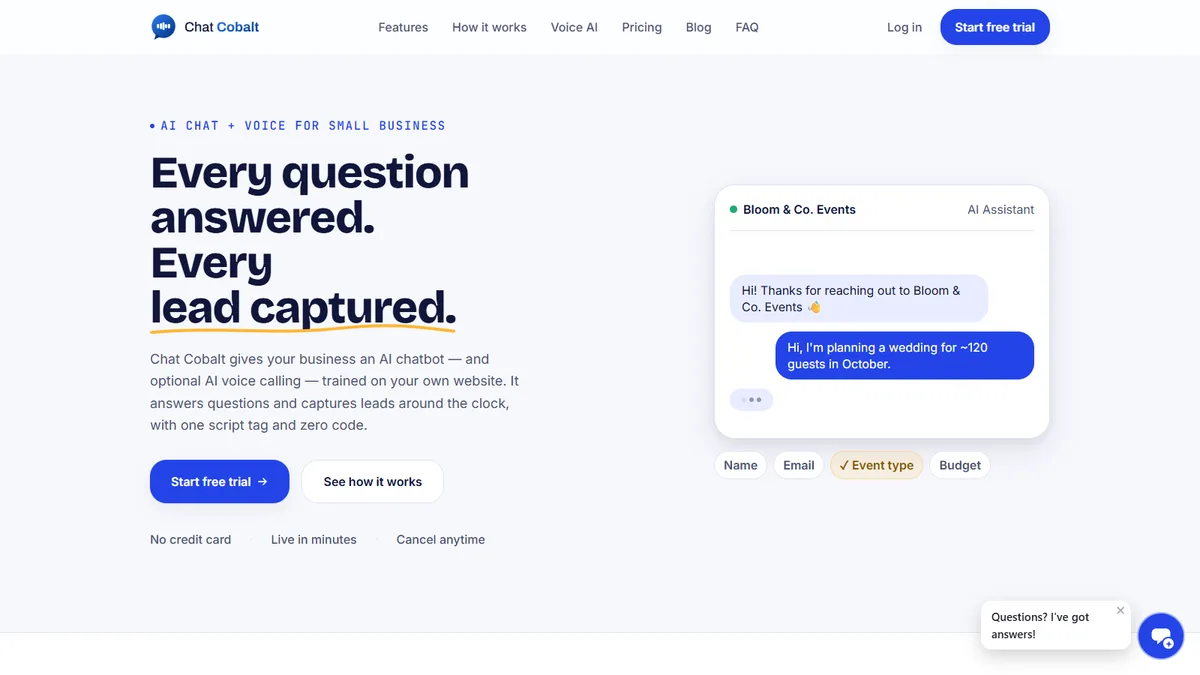
Chat Cobalt is Codebold's own AI chat and voice product. It answers your website chat and your phone, trained on your agency's own website, and hands the flows on this page what they need: the booking, the reminder, the follow-up.
We run Chat Cobalt on our own business every day.
— Let's talk
One free call. We'll map it with you and tell you honestly whether it's worth automating.
Working with clients internationally, since 2013.
Tell us about your project and we will get back to you within 24 hours.