An AI assistant on your chat, email and phone
Answers customers in their language, by chat, email and phone, from your store's own data, and writes each conversation up for your team. It says it is an AI, and it never takes card numbers.

You're packing orders.
Customers still get answers.

Where is my order? It said Tuesday.
I'm the store's AI assistant. It shipped Monday and is due tomorrow.
Tracking link sent by text
— The flows
The actual chain, end to end. Pick the store type closest to yours. What we build for you will be shaped around how your store already runs.
Pick your store type 4
Also built for Jewelry & accessories · Pet supplies · Outdoor & sporting goods · Kids & baby · Arts & crafts · Phone & tech accessories · Books & stationery · Subscription boxes
Apparel shoppers ask about fit, then buy or leave. This answers from your own size guide.

AI chat
Sizing, fabric and shipping, from your product pages and size guide.

Shoppers who opted in get one reminder about the cart. It stops when they buy.

AI chat
The order, the reason and the size they want, logged for your team.

Your team
Refunds and anything outside your return policy wait for a person.
This one waits for your team

Once approved, the return label and what happens next go out.
The result
The sizing question at eleven at night gets an answer from your own size guide.
Does the linen dress run small? I'm usually a medium.11:20 pm
I'm the store's AI assistant. The size guide says it fits true to size, so a medium.11:20 pm
And if it doesn't fit?11:21 pm
You can swap it for another size under the store's return policy. I can start that for you here.11:21 pm
Answered from your size guide · order placed
And it keeps running
The morning report lists every exchange waiting for approval and every question answered overnight.
Your own process
Tell us what your team repeats every week. We'll map it and come back to you within one working day. The map is free, and it's yours either way.
Skincare and supplement shoppers ask what a product will do. This answers only from your own product pages.
AI chat
Ingredients, sizes and how to use, exactly as your product pages say.
AI chat
It never says what a product will treat or fix. Those questions get your listed facts.
Your team
A customer reporting a reaction is handed to your team straight away.
This one waits for your team

Text
Customers who opted in hear when their usual product may be running low.
Sent once the parcel arrives, on the schedule you set.
The result
A question about results gets your listed product facts, never a promise.
Will this serum clear up my breakouts?8:42 pm
I'm the store's AI assistant. I can't say what a product will do for your skin, but I can share what the product page lists.8:42 pm
Okay. Is it fragrance-free?8:43 pm
Yes, the product page lists it as fragrance-free. Here is the full ingredient list.8:43 pm
Answered from your product data · no claims made
And it keeps running
You see every product question that needed a person, and why.
Your own process
Tell us what your team repeats every week. We'll map it and come back to you within one working day. The map is free, and it's yours either way.
Big and fragile items mean delivery questions and damage claims. This keeps each one in one place.
AI voice call
Tracking and delivery dates, from your shipping data.
Text
The customer sends a photo, and it is logged with the order.
Your team
Replacement, refund or repair: your team chooses.
This one waits for your team
Sold out? Everyone who asked hears when it's back.
After the delivery, not after the order.
The result
A damaged delivery is logged with the photo, and a person decides what happens next.
ThemMy lamp arrived with a cracked base.
AII'm the store's AI assistant. I'm sorry about that. Could you text a photo to this number? I'll log it for the team.
ThemSending it now.
AIGot it, thank you. Someone from the team will reply today about what happens next.
Damage logged · photo attached · sent to your team
And it keeps running
Each morning you see the open damage claims and which ones are waiting on you.
Your own process
Tell us what your team repeats every week. We'll map it and come back to you within one working day. The map is free, and it's yours either way.
Specialty food stores sell to shoppers and to shops. This sorts the two.
AI chat
Shipping days, delivery areas and order status, from your store's own settings.
AI chat
It answers from your product data and never guesses about allergens. Anything unclear goes to a person.
AI voice call
Business name, location and rough volume, collected and passed on.
Your team
Wholesale pricing and terms stay with you.
This one waits for your team
Sent once the parcel arrives, on the schedule you set.
The result
A wholesale inquiry reaches the owner with the details already taken.
ThemWe run a gift shop and would like to stock your hot sauce. Do you sell wholesale?
AII'm the store's AI assistant. I'll pass this to the owner. Where is your shop, and roughly how much would you order?
ThemAustin, Texas. A few cases a month to start.
AIThank you, Dana. The owner will reply to you by email.
Wholesale inquiry passed to the owner · details taken
And it keeps running
The morning report puts every wholesale inquiry at the top.
Your own process
Tell us what your team repeats every week. We'll map it and come back to you within one working day. The map is free, and it's yours either way.
— Sound familiar?
These happen every week at a busy online store, and each one can cost you a sale.
The orders need packing. The phone and inbox don't wait.

They shop in the evening. You read it the next morning.
They opted in, then got distracted. Nobody followed up.

The same question by email, chat and phone, every day.

Emails, photos and labels, all in different places.
Packing, answering and returns all want the same person.
Every one of these can run without waiting for a free pair of hands.
— Where it fits
Sizing, shipping and policy questions answered, and abandoned cart reminders to shoppers who opted in.
Order status questions answered from your own tracking, day and night.
Returns started for your approval, review requests, and back-in-stock alerts to people who asked.
— What it does
Hi, where's my order? It was due Tuesday.
I'm the store's AI assistant. It shipped Monday and is due tomorrow.
Okay. Can you text me the tracking?
Sent to the number on your order.
Answered · tracking texted
Customer questions
An AI customer service assistant on your website chat, email and phone. It says it is an AI and answers order status, shipping, sizing and policy questions from your store's own data.

Hi Megan, you left the linen shirt in your cart. Your size is still in stock.6:00 pm
Does it run small?6:14 pm ✓✓
The size guide says it fits true to size. Here's your cart link.6:14 pm
Carts & follow-ups
Abandoned cart and browse follow-ups by email or text, only to shoppers who opted in, in your store's own words. Questions in the thread are answered before they check out.
Returns & exchanges
Return and exchange requests are started in chat or email, checked against your return policy and logged for your team. Refunds and anything outside the policy are approved by a person.
Restocks & reviews
Back-in-stock alerts go to the people who asked for them, and a review request goes out after the parcel arrives, on the schedule you set.
Wholesale & reports
Wholesale and bulk inquiries go to you with the details already taken. Every morning a daily report lists what was answered, what was sent and what needs you.

Your software
Your ecommerce platform (Shopify, WooCommerce and others, wherever they allow a connection), helpdesk, email and shipping tools. Where there is nothing to connect to, a browser agent logs in with your account and does the clicking.
Which of these would take the most off your front desk?
— More than the front desk
We build or rebuild your online store website so Google and AI assistants like ChatGPT can find and read it.
Free Your new home page, designed first. Need a new website or a redesign? We'll design your home page for free. If you like it, we carry on.
Do it yourself, in plain words. Type the change the way you'd say it, check it, preview it and publish. No developer, no waiting.
Your returns, inquiries and approvals in an app for Android and iPhone.
A slow page can lose a sale before checkout. We find what's slowing it and fix it.
Tell us how your store runs. We'll point you to the one that helps most, or tell you it's fine as it is.
— What it plugs into
A flow is only useful if it reaches the tools your team lives in. Where a product offers a connection, we use it. Where it doesn’t, the browser agent signs in and does the clicking, the same way your team does.
…and the ones that aren’t here. If a tool offers no connection at all, the browser agent signs in with your account and works it the way a person would, which is how portals, job boards and supplier sites get covered. Tell us what you run on the call.
— The building blocks
Every flow on this page is assembled from these. Yours will use some of them, in an order nobody else has.
Answers customers in their language, by chat, email and phone, from your store's own data, and writes each conversation up for your team. It says it is an AI, and it never takes card numbers.
Older store admins, marketplace dashboards and carrier portals: it logs in with your own account and does the clicking where there is nothing to connect to.
— Why build it this way
| Doing it by hand | Your store's apps | A CodeBold flow | |
|---|---|---|---|
| Answers order questions after hours | No Next morning | An FAQ page | Yes 24/7 |
| Answers from your own product data | Yes If someone is free | Varies | Yes Every time |
| Follows up on carts, only with permission | Rarely | If configured | Yes Email or text |
| Starts returns and logs them for approval | When there is time | A form to fill in | Yes Logged for you |
| Waits for a person before any refund | Yes | Varies | Yes Built in |
| Passes wholesale inquiries to the owner | If someone spots it | No | Yes With the details |
| Tells you when a step fails | No The customer tells you | If configured | Yes Alerts a person |
The first two are fine for a step. A process that spans a browser, a phone call and a calendar needs something that can carry it all the way through.
One free call. We'll map your customer service with you and tell you honestly whether it's worth automating.
— What it costs
Four parts, each agreed before it starts. Nothing is billed by the hour, and your whole team can use it at no extra cost per person.
A 30-minute call, then a written plan of your flow. Yours to keep, even if you say no.
One fixed price for the plan you approved, agreed before work starts. Nobody is contacted until you sign it off.
Hosting, daily checks, an alert when a step fails, fixes, and changes as you grow.
Charged by the phone company and passed on with no markup, on their own line.
Calls and texts are billed by the phone company and shown on their own line of your quote, at cost.
— Trust & responsible AI
On every chat, call and email. We will not build one that pretends to be a person.
It answers from your own product data, and never makes health claims about what a product does.
An upset customer, a chargeback threat, anything urgent: you define it, and a person takes over.
Refunds and exceptions to your return policy are approved by a person. It never takes card numbers in chat.
It only messages people who ordered, opted in or contacted your store. No bought lists.
Customers hear your store, never ours. Every message is logged, and we claim no certification we don't hold.
— Questions store owners ask
Yes. It introduces itself as your store's AI assistant at the start of every chat, call and email thread. That is honest, and in a growing number of places it is also required.
Yes. It looks up the order in your store and the tracking from your shipping tools, wherever they allow a connection, and gives the customer the status and the tracking link. An order that is stuck or lost goes to a person.
No. It only messages people who ordered from you, opted in to your emails or texts, or contacted your store. It never uses bought lists, and every follow-up lets the customer opt out.
No. It starts return and exchange requests, checks them against your return policy and logs them for your team. Refunds and any exception to your policy are approved by a person. It never takes card numbers in chat: payments go through your store's own checkout.
It answers only from your own product data: descriptions, size guides, ingredient lists and policies. It never invents a product fact and never makes health claims about supplements, skincare or anything else. A question it cannot answer from your data goes to a person.
It hands the conversation to a person straight away, with the order and the conversation so far. You decide what else counts as urgent.
It stays in the systems you already use, in a workspace of your own, and we do not reuse or sell anything that passes through it. We hold no certification or compliance standard and will not imply otherwise. Bring your store's policies to the mapping call, and we will either build to them or tell you honestly that we cannot.
It works with your email, imports Excel and CSV, and connects to your store platform, helpdesk and shipping tools wherever they allow a connection. Where there is nothing to connect to, the browser agent logs in with your account and does the clicking.
Many chat apps answer from a list of FAQs. This flow looks up the actual order, starts the return for your approval, follows up on carts with permission, passes wholesale inquiries to you and sends you a daily report. Anything it should not handle still goes to a person.
Yes. It can answer and message in Spanish and other languages, from the same store data, and your team can read every conversation in English.
There is no fixed plan, because every store runs differently. The mapping call and written plan are free, building it is one fixed price agreed before work starts, running it is a monthly fee, and calls and texts are passed through at cost. You have the full figure before you sign.
This page shows worked flows for fashion and apparel, beauty and wellness, home goods, and food and specialty stores. We also build for jewelry, pet supplies, outdoor and sporting goods, kids and baby, arts and crafts, tech accessories, books and subscription box stores.
You do. The flow, the answers, the rules and the data are yours, and they stay in your own workspace.
— The AI behind it
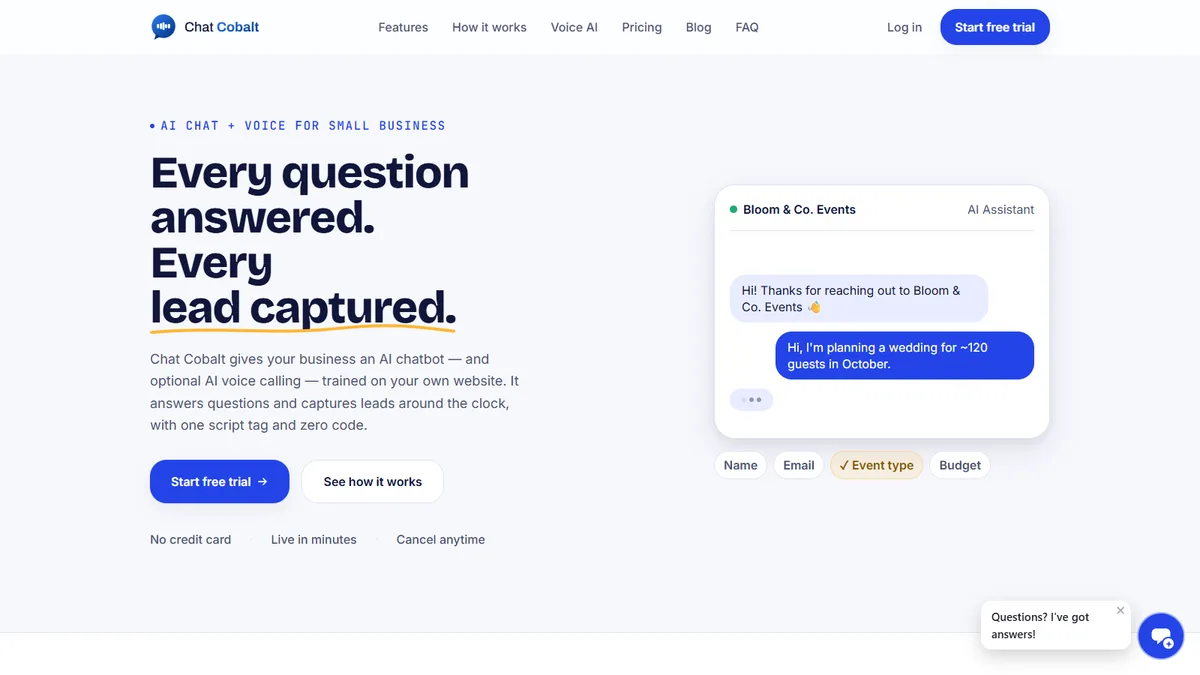
Chat Cobalt is Codebold's own AI chat and voice product. It answers your website chat and your phone, trained on your store's own website, and hands the flows on this page what they need: the booking, the reminder, the follow-up.
We run Chat Cobalt on our own business every day.
— Let's talk
One free call. We'll map it with you and tell you honestly whether it's worth automating.
Working with clients internationally, since 2013.
Tell us about your project and we will get back to you within 24 hours.